


Swype is a patented technology that provides a faster and an intuitive way to input text on touchscreen devices. With one continuous finger or stylus motion across the keyboard users can enter text at over 30-40 words per minute. The technology can run on small screen mobile devices as well as large multi-touch LCD panels.

“QUICK”
In the image above, the word “quick” was generated by tracing the path that roughly aims to pass through the letters of the word.
The user need not be very accurate with motion in order to get right text entry. In fact, the spacebar is made redundant while Swype automatically appends space before each word. The software is equipped with fairly advanced input path analyzer and a word matching search engine along with a 65,000 words learning dictionary. Swype is aiming at supporting multiple languages to penetrate deeper into the international market.
While all this is exciting, some reviews suggest that users are unable to connect with the new data entry pattern intuitively. In case of typing repeat words, users try to remember the exact path. This is even more difficult in case of long words. Existing thumbpad pattern of data entry seems to work better because of its high affordance.
It is indeed a paradigm shift in computing and data entry methods that are in use since computer’s inception. Therefore, one will have to wait to see how the technology can bridge the learning curve and gain user and social acceptance when it makes a commercial entry into the mainstream touchscreen device market.


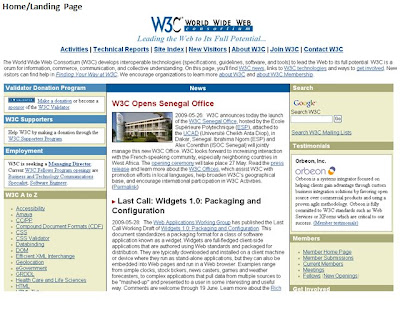


 Branding guidelines: Each organization has its own branding guidelines that should be followed. These can be the company logos, the action buttons, the color combinations, the taglines etc. The branding will have the below important elements(Its up to the designer if he want to focus more on each element in the branding guidelines, well its a good practice to know each element with respect to branding essentails of the company)
  The company logo is always displayed on the top left corner in 30 X 40 pixels.

 Table design


 Favorite 2:
  Favorite 3:
  Favorite 4:
  Favorite 5:
  Favorite 6:
  Favorite 7:
  Favorite 8: Last but none the least.
  Hope you visit all the above tools & figure out which one suits your UX & collaboration needs.

